Key takeaways
- Starlink's plans article (re-read Nov 16, 2026) marks Residential 200 Mbps and 100 Mbps as “available in select areas.” Residential Max has no such label.
- Starlink's rule: “If an offer does not appear in your account or when you enter your address, it means it is not currently available for your location.”
- Starlink doesn't publish which areas get which plans. Its articles tie plan changes to “availability in your area,” the same capacity idea behind sold-out areas and surcharges.
- If only Max shows, you can order it and switch to a cheaper plan later if one opens up: Starlink says you can change plans “at any time, subject to availability in your area.”
- Typing another address to unlock a plan backfires. Residential works at the registered service address and nowhere else.
On this page
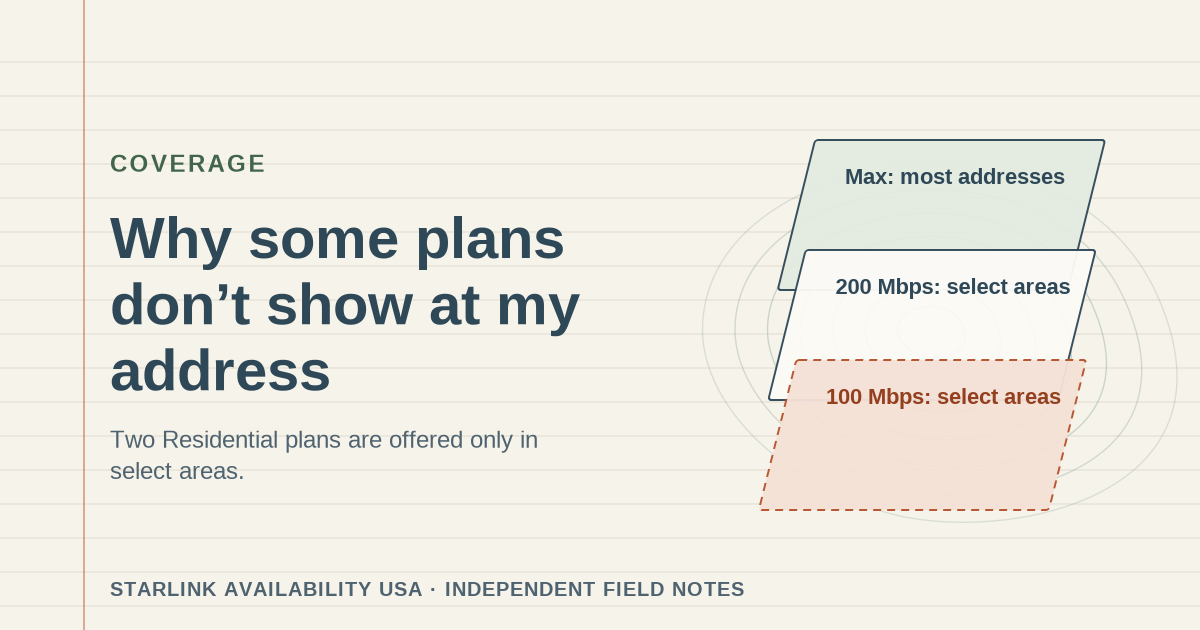
If Starlink shows only Residential Max at your address, or leaves out the 100 Mbps plan you read about, that is how Starlink sells it: the 200 Mbps and 100 Mbps Residential plans are “available in select areas,” and Starlink decides by address. Its plans article, re-read on November 16, 2026, says: “If an offer does not appear in your account or when you enter your address, it means it is not currently available for your location.” You can order a plan that is offered, wait and re-check, or compare other options. You can’t unlock a plan by typing a different address.
The three Residential plans, and where they’re offered
All figures from Starlink’s plans article and its US price lists, as of November 16, 2026.
| Plan | Download | Upload | Offered | Price levels seen since Oct 29, 2026 |
|---|---|---|---|---|
| Residential Max | “up to 400+ Mbps” | 20–40 Mbps | No “select areas” label | $104, $117, $130, $143 or $156 a month |
| Residential 200 Mbps | capped at 200 Mbps | 15–35 Mbps | “Available in select areas” | $68, $76.50 or $85 a month |
| Residential 100 Mbps | capped at 100 Mbps | 15–35 Mbps | “Available in select areas” | $44, $49.50 or $55 a month |
Since late October 2026 the monthly price is also set by address, which is why the last column is a list of levels, not one price. Your order page shows the one for your address. For what a plan costs over a year, the year-1 calculator on our sister cost site does the math.
Starlink’s plans article says Max is its “highest network priority Residential plan, providing the fastest speeds during the busiest hours,” and that the 200 and 100 Mbps plans “may be slower during peak hours compared to Residential Max.”
What decides which plans you see
Starlink doesn’t publish the rule for a given address. What its own articles do say:
- Plans are offered by area. “Residential plan availability depends on your region and may vary by address.”
- Changes depend on capacity. “You can upgrade or downgrade your Residential plan at any time, subject to availability in your area.”
- Busy areas get treated differently. In capacity-limited places, Starlink’s reactivation article says Roam or Priority is offered when Residential has no room, and its surcharge article adds a one-time fee in high-demand locations.
Our reading, and only that: the capped, lower-priced plans tend to be offered where the network has room to spare, and held back where it doesn’t. Starlink hasn’t said so in those words.
What you can do
Order the plan that is offered
If Max is the only Residential plan at your address and you want Starlink now, that is the plan to compare against your other options. Read the whole order summary first, including any demand surcharge line.
Re-check, then switch down later
You can change plans after you order. Starlink: “Changes may take effect immediately or at the start of your next billing cycle, depending on the type of change.” Two cautions from its own articles: restrictions “may apply to certain promotions or contracts,” and “if you switch service plans later, a demand surcharge may be applied depending on availability and demand in your area at the time of the change.”
Look at Roam, with eyes open
Roam isn’t tied to one service address, so it’s orderable where a Residential plan isn’t. On November 16, 2026, Roam cost $55 (100GB), $80 (300GB) or $175 (Unlimited) a month. Roam has data allowances on the cheaper tiers, and Starlink says you can’t move from Roam to Residential at a capacity-limited address until it has room. Whether Roam makes sense at home is a cost question, not an availability one.
Don’t use another address
Typing a friend’s or a nearby address to unlock a cheaper plan doesn’t work for long. Starlink: “Starlink service is only guaranteed at the service address listed on your account. Using your Starlink equipment outside of its assigned service area may result in loss of connectivity or reduced performance.” More in why a friend’s address backfires.
Other things that vary by address
- Buying vs renting the kit. The Standard kit is $349 to buy, but Starlink’s price lists show that buying isn’t offered at every address; some get the rental option only.
- Residential Lite. Not on Starlink’s US price list on November 16, 2026. Eligible New York households can get a 25 Mbps plan for $15 a month under the state’s Affordable Broadband Act.
- The November discount. Starlink’s US site text says new customers can save 30% on recurring Residential service “in select areas” when they sign up by November 30, 2026. Only an eligible address’s order page displays it. How it sits next to a surcharge is in the discount and the demand surcharge.
Worked example (hypothetical)
A household wants the 100 Mbps plan for two people. On November 16 its order page offers only Residential Max. They write down the date and the Max price at their address, check the summary for a surcharge line, and look up other providers on the FCC map. They decide to wait a month and re-check. In December the 100 Mbps plan appears at their address, and they order it. Made-up dates and results, to show the logic; Starlink publishes no schedule.
Common mistakes
- Reading a national price list as your price. Starlink’s no-address list is one tier, not what your address gets.
- Assuming a plan you saw online is offered everywhere. “Select areas” means exactly that.
- Expecting a store kit to change the plan list. The plans depend on the service address, not where the kit came from.
What we don’t know
- Which areas get which plans. Starlink publishes no list or map.
- How often an address’s plan list changes. Starlink gives no schedule.
- Whether every address with Max also gets the November discount. The discount is for “select areas,” and Starlink doesn’t list them.
What to do next
- Enter your address on starlink.com and note which plans appear and at what price.
- If none of them suit you, see why Starlink says not available and look up other providers.
- If one does, read the order summary for a demand surcharge line before you pay.
Questions people ask
Why does Starlink only offer Residential Max at my address?
Can I switch to the 100 Mbps plan later?
Is Residential Lite available in the US?
Does the plan I pick change the demand surcharge?
My neighbor has the 100 Mbps plan. Why can't I get it?
Can I order Roam instead and use it at home?
Sources
- Starlink support: What are the Residential plans? (modified Apr 8, 2026) (retrieved Nov 16, 2026)
- Starlink support: Service Plan Changes (modified Oct 22, 2026) (retrieved Nov 16, 2026)
- Starlink support: What is a demand surcharge? (modified Apr 9, 2026) (retrieved Nov 16, 2026)
- Starlink support: How do I reactivate service? (modified Apr 9, 2026) (retrieved Nov 16, 2026)
- Starlink support: How do I change my service address? (modified Apr 9, 2026) (retrieved Nov 16, 2026)
- Starlink support: How do I activate my Starlink? (modified Apr 9, 2026) (retrieved Oct 6, 2026)
- Starlink support: What are the Roam service plans? (modified Apr 9, 2026) (retrieved Nov 16, 2026)
- starlink.com US home page and Starlink's US no-address price lists (Residential levels, Roam prices, Lite, kit options), via docs/research/us-offer-facts-2026-11-16 (res.*, roam.*, hw.*) (retrieved Nov 16, 2026)
Related guides
Coverage
Starlink not available at my address: reasons and next steps
Starlink says not available, sold out or “at capacity” at your address? What each message means, the US status on Nov 16, 2026, and what to try next.
Coverage
Why the Starlink map says available but checkout says sold out
Starlink's map shows service but checkout says sold out or offers only a deposit? The likely reasons, which are documented, and the steps to sort it out.
Coverage
Can you check Starlink availability by ZIP code?
Starlink checks availability by exact address, not ZIP code. Why a ZIP can't show your plans, price or surcharge, and the address check that can, Nov 2026.