Key takeaways
- Starlink has no ZIP-code lookup. Its availability map and order page work from the exact service address, the place where the dish will be used.
- Since late October 2026, starlink.com asks for an address before it shows any Residential plan or price: “Enter your address to see plans and pricing.”
- Plans, price level and any demand surcharge are all set by address. Starlink's invoice glossary describes the surcharge per residential line “in a congested cell”, and it publishes no cell map.
- Two homes in one ZIP code can get different answers. A ZIP only helps for rough context: press reports by town, or our county data once 5 reports exist.
- The full check takes a few minutes and you can stop before paying: type the address on starlink.com, read the plans, start an order and read the summary.
On this page
You can’t check Starlink availability by ZIP code alone. Starlink’s availability map and its order page both work from the exact service address, the place where the dish will be used. That’s because everything that decides your answer is set by address: whether Residential service is open, which plans are offered, the monthly price level and any one-time demand surcharge. Type the full address on starlink.com, read what it offers, and start an order if you want to see the summary. You can stop before paying.
As of November 16, 2026, the US home page of starlink.com shows no Residential price at all until you do this. Its prompt reads: “Enter your address to see plans and pricing.”
What Starlink decides from your address
Each of these can differ between two homes on the same mail route.
| What you learn | Where it shows | Set by |
|---|---|---|
| Whether you can order now, or only place a deposit | Map and order page | Capacity at the location |
| Which Residential plans are offered (Max, 200 Mbps, 100 Mbps) | Order page | Address; 100 and 200 Mbps are “available in select areas” |
| The monthly price level | Order page | Address, since late October 2026 |
| Any demand surcharge | Order summary, as its own line | Service address, plan and kit |
| Any new-customer discount (30% in select areas, sign-up by Nov 30, 2026) | Order page, only where it applies | Address |
Starlink’s plans article puts it plainly: “Residential plan availability depends on your region and may vary by address. If an offer does not appear in your account or when you enter your address, it means it is not currently available for your location.” For the surcharge, its invoice glossary describes “a one-time congestion charge per residential service line, up to about $1,500, for standard service in a congested cell.”
Why a ZIP code is too coarse
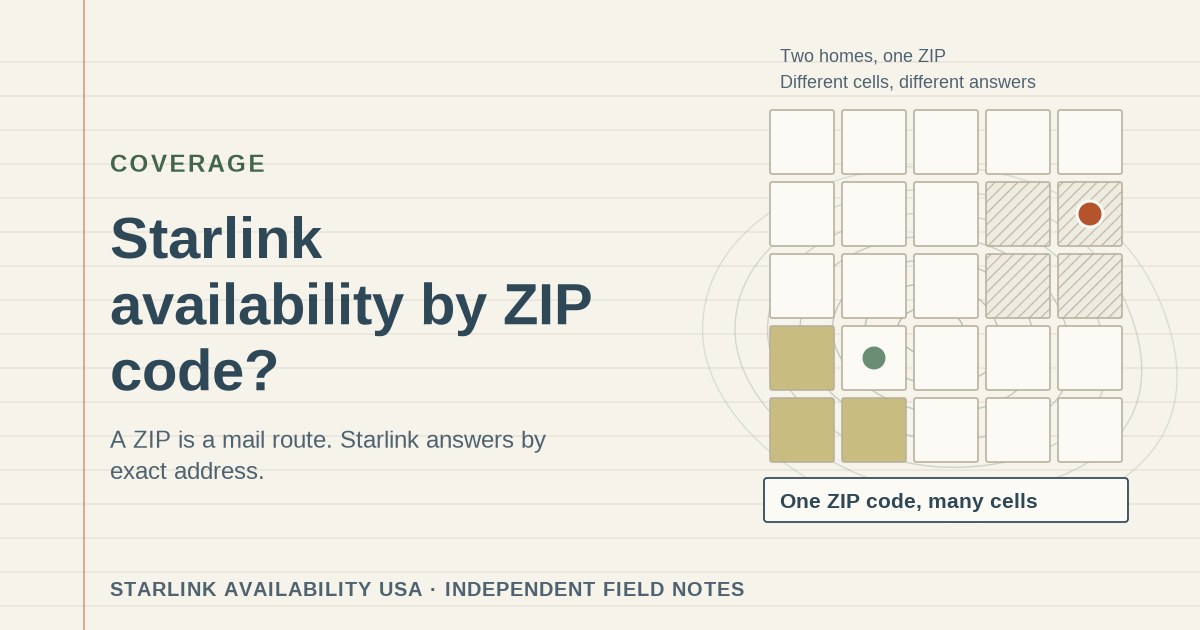
A ZIP code is drawn for mail delivery. Starlink’s limits are drawn around network capacity in an area, which its own glossary calls a “cell.” Starlink doesn’t publish where its cells begin and end, so nobody outside Starlink can tell you which cell a given ZIP falls in, or whether one ZIP spans several.
Three things follow:
- Two neighbors can see different plan lists. One address offers the 100 Mbps plan; another nearby offers only Max. See why some plans don’t show at your address.
- The surcharge is per address and per line. Starlink says it is determined by “your service address” and “the service plan selected,” and is applied “per service line, not per account.”
- A ZIP’s town-center address answers for the town center. Typing a post office or town hall address checks that building’s location, not your house.
What a ZIP code can tell you
A ZIP is still useful for context, as long as you treat it as context:
- Press reports by town. Our surcharge page lists dated press reports that name a city or state and an amount. They are unverified, one address on one day, and kept in their own layer.
- Reader reports by county. Our report form asks for a county and, optionally, the first three digits of a ZIP code, never a street address. A county gets numbers only after 5 reports in six months. As of November 16, 2026, the form isn’t open yet and no county has crowd numbers.
- Other providers. The FCC National Broadband Map looks up providers that report service at an address, so it also needs the address. It’s a quick way to see what else reaches you before you decide.
The address check, step by step
- Open starlink.com and type the service address. Use the address where the dish will sit, not a mailing address or PO box.
- Read the plans and prices that load. Note which Residential plans appear and the monthly price for each. If a discount applies at your address, it shows here.
- Start an order for the plan you’d actually buy. The order summary lists the kit, the plan, shipping and, if your address has one, a “Demand Surcharge” line.
- Stop before you place the order. Write down the date, the plans offered, the prices and the surcharge line. If you’re not ordering today, repeat the check when you are, because Starlink says availability is “subject to change.”
If the map shows your area as sold out, Starlink’s sold-out article explains the deposit route; our waitlist guide walks through it. Starlink’s reactivation article said on November 16, 2026 that there are currently no sold-out regions in the US.
Worked example (hypothetical)
Two households share one rural ZIP code, about four miles apart.
- House A types its address. The order page offers Residential 100 Mbps, 200 Mbps and Max, and the summary shows no surcharge line.
- House B types its address. The order page offers only Residential Max, and the summary shows a demand surcharge line.
Neither result says anything about the other house. If House B had searched “Starlink availability” plus the ZIP, any answer it found would have been House A’s answer, or nobody’s. These are made-up results to show the logic, not real addresses.
Common mistakes
- Checking a town address instead of your own. You get the town’s answer.
- Using a mailing address or PO box. Starlink service is “only guaranteed at the service address listed on your account,” it says.
- Trusting a ZIP lookup on a third-party site. It can’t see Starlink’s capacity, price or surcharge for your address.
- Checking once and deciding months later. Plans, prices and capacity change. Re-check on the day you decide.
What we don’t know
- Cell size and boundaries. Starlink calls them cells but publishes no map of them.
- Whether price levels and surcharges follow the same areas. Starlink hasn’t said.
- How often an address’s answer changes. Starlink says only that availability is “subject to change.”
What to do next
- Run the four-step address check above. It takes a few minutes.
- If your address offers fewer plans than you hoped, read why some plans don’t show at an address.
- If the summary shows a surcharge, see how to check it before you order and what can legitimately lower it.
Questions people ask
Can I check Starlink availability by ZIP code?
Why do two houses in the same ZIP code get different Starlink answers?
Is there a Starlink coverage map by ZIP code?
Is it safe to type my address into starlink.com?
Do I have to order to see the price at my address?
Does a ZIP code tell me the demand surcharge?
Sources
- starlink.com US home page, rendered with no address: “Enter your address to see plans and pricing.” (via docs/research/us-offer-facts-2026-11-16, res.pricing.model) (retrieved Nov 16, 2026)
- Starlink availability map (retrieved Nov 16, 2026)
- Starlink support: What are the Residential plans? (modified Apr 8, 2026) (retrieved Nov 16, 2026)
- Starlink support: Invoice Description Glossary, “Demand Surcharge Order” (modified Oct 22, 2026) (retrieved Nov 16, 2026)
- Starlink support: What is a demand surcharge? (modified Apr 9, 2026) (retrieved Nov 16, 2026)
- Starlink support: My region is at capacity or shows as "sold out" on the availability map. What does that mean? (modified Apr 9, 2026) (retrieved Nov 16, 2026)
- Starlink support: How do I change my service address? (modified Apr 9, 2026) (retrieved Nov 16, 2026)
- Tennessee Dept. of Economic and Community Development: FCC Broadband Mapping Challenge (explains the FCC National Broadband Map) (retrieved Oct 6, 2026)
Related guides
Coverage
Is Starlink available in my area? A step-by-step check
Check if Starlink is available at your address in 4 steps: map, order page, surcharge line and sky. What each answer means, checked Nov 16, 2026.
Coverage
How to read the Starlink availability map, and what it leaves out
What Starlink's availability map tells you about your address, what it doesn't show (surcharge, local speeds, obstructions), and the order to check things in.
Coverage
Why some Starlink plans don't show at my address
Only Starlink Max at your address, or no 100 Mbps plan? Two Residential plans are offered only in select areas. What decides it and what you can do, Nov 2026.